
Reliable desktop and industrial thermal transfer printers designed for barcode labeling, and high-volume printing applications. Engineered for precision, built for uptime.
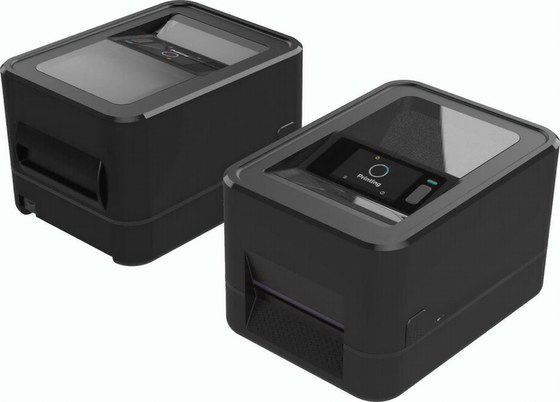
4-inch performance desktop printer with flexible connectivity for everyday labeling.
Learn More →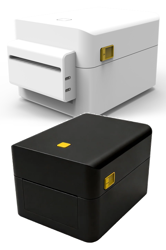
4-inch linerless desktop label printer with no backing liner to discard, on-demand variable-length labels and ZPL / DPL / EPL command support.
View JPD240D →Other JD-series configurations — 600 dpi, linerless, and field-upgradeable cutter or peeler modules — are available on request.
Thermal transfer printing applies a ribbon to the label, which is what makes the image survive heat, abrasion and solvents. The decision usually comes down to label durability, the resolution the code needs, and how the printer will be integrated into the line.
Choose thermal transfer when labels are exposed to friction, moisture, heat or chemicals — production, asset, compliance and warehouse labeling. Direct thermal remains a reasonable option for short-life shipping labels where the print only has to last the journey.
203 dpi handles standard barcodes and text — it is the configuration of the JPD240T. Move to 300 dpi when 2D codes, small type or high-density layouts are involved; desktop 300 dpi builds sit in the same series. Tell us the code you have to read and we will point to the build that matches it.
The JPD240T is a 4-inch desktop unit with USB and Ethernet 10/100 Mbps as standard, and auto-switching print-language emulation (TSPL / ZPL / EPL / DPL) so templates already in use can be sent without redevelopment. A rotary cutter and a peeler module are available as accessories.
When the label has to remain readable for months or years, or has to survive abrasion, heat or chemical contact. Direct thermal is the lower-cost route for labels with a short service life.
Accessory modules such as the rotary cutter and peeler are added by configuration, and other JPD240-series builds — including the linerless JPD240D — are available on request.
USB 2.0 and Ethernet 10/100 Mbps are standard; the platform supports TSPL, ZPL, EPL and DPL command sets, so it drops into existing print environments.
The JD series spans desktop and industrial builds. Tell us the duty cycle and media and we will point to the configuration that matches it.
Discuss OEM/ODM requirements or request an evaluation unit.
Contact Sales